

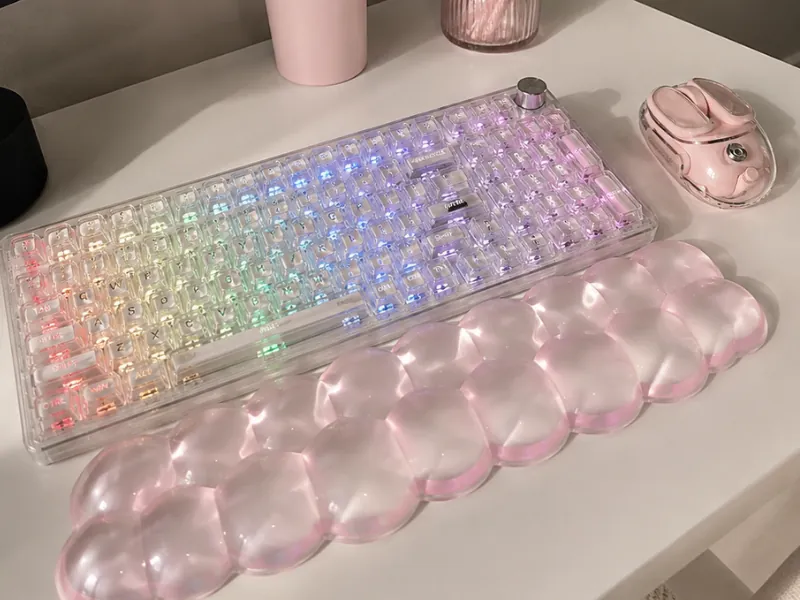
YUNZII X98 Clear Wireless Mechanical Keyboard with Knob (Pink, Snow Switch)
The YUNZII X98 keyboard is the desk upgrade to buy when you want to make your workspace instantly cuter without giving up the features you use every day.
Its transparent case, glowing RGB lighting and dreamy pink and clear color options immediately transform an ordinary desk. But the appearance is only half the reason this keyboard is so easy to love.
The YUNZII X98 also gives you smooth pre-lubed Snow switches, a dedicated number pad, three connection modes, a useful control knob and a sturdy construction that stays securely in place while you type.
And then there is the sound.
Every keystroke has a soft, creamy quality that makes writing, studying and even answering emails more satisfying. This is not a pretty keyboard you tolerate because it matches your desk. It is a genuinely enjoyable everyday keyboard that also happens to look adorable.
A detailed owner review captures the appeal perfectly. She spent around three months listening to her coworker type on the pink version before deciding she needed a satisfying keyboard of her own. After searching for one, she ended up purchasing the exact same model.
That is the kind of effect the YUNZII X98 has.
Bottom Line: Is the YUNZII X98 Keyboard Worth It?
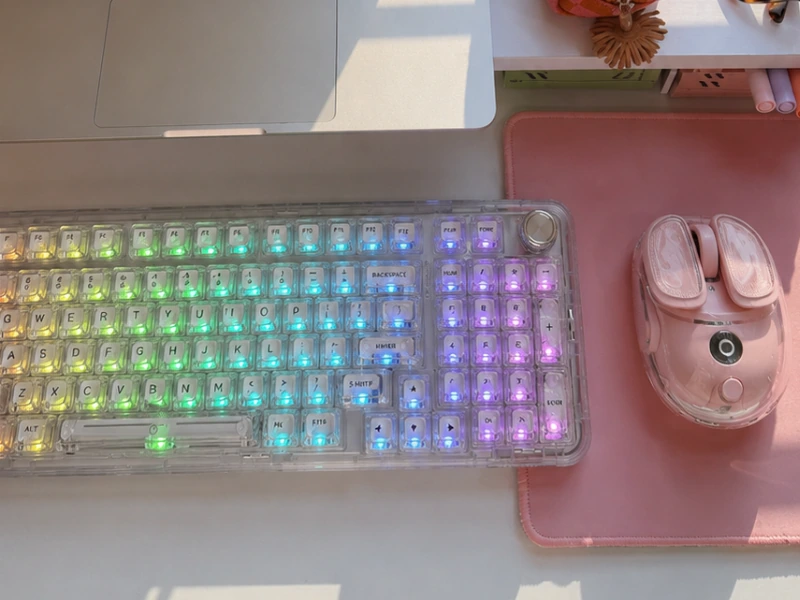
Yes, the YUNZII X98 keyboard is worth buying if you want a cute wireless mechanical keyboard with a number pad and a smooth, creamy typing sound.
Its pre-lubed Snow switches feel excellent straight out of the box, the transparent RGB design makes it stand out on a desk, and its solid weight keeps it secure during fast typing.
The only real adjustments are the smaller zero key on the number pad and the fact that the decorative keycaps differ between color variations. Neither one outweighs the keyboard’s strongest qualities.
YUNZII X98 at a glance
| Feature | What you get |
|---|---|
| Layout | Compact 96-key layout with number pad |
| Switches | Pre-lubed Snow linear switches |
| Sound | Soft, smooth and creamy |
| Connections | Bluetooth, 2.4GHz wireless and USB-C |
| Multi-device support | Connect up to five devices |
| Battery | 8000mAh |
| Lighting | Transparent RGB with up to 16.8 million colors |
| Control | Multifunction rotary knob |
| Customization | QMK/VIA key, macro, lighting and knob controls |
| Switch replacement | Hot-swappable 3-pin and 5-pin support |
| Structure | Gasket mounted with five sound-dampening layers |
| Compatibility | Windows and Mac |
| Included extras | Dust cover, cable, dongle, puller, spare switches and extra keycaps |
Why the YUNZII X98 Keyboard Stands Out
Plenty of keyboards look cute in product photos. Far fewer combine that appearance with the features needed for serious daily use.
The YUNZII X98 gets both sides right.
It has the transparent, glowing aesthetic people want for a cute desk setup, but it does not remove the practical controls that make a keyboard useful. You still get function keys, arrow keys, a dedicated number pad and a volume knob.
It also avoids the lightweight, hollow feeling found in many inexpensive aesthetic keyboards. The body feels substantial, the keys feel smooth and the internal cushioning gives every keystroke a fuller sound.
The result is a keyboard that works beautifully for:
- Home-office setups
- Writing and editing
- School and studying
- Spreadsheets and bookkeeping
- Content creation
- Casual gaming
- Online store management
- Everyday computer use
You are not choosing between cute and functional. The YUNZII X98 gives you both.
The Creamy Typing Sound Is the Real Reason to Buy It
The transparent design gets your attention first, but the sound is what makes this keyboard memorable.
The YUNZII X98 uses pre-lubed Snow linear switches. The keys move smoothly from top to bottom without a sharp click or strong tactile bump in the middle.
The result is a soft, rounded keystroke that sounds controlled rather than hollow. It has the creamy mechanical-keyboard sound people love in satisfying typing videos.
The Snow switches feel:
- Smooth from the first press
- Consistent across the keyboard
- Soft without becoming mushy
- Comfortable during fast typing
- Satisfying during longer work sessions
This is not a silent keyboard. People sitting nearby will still hear you type. But the sound is much softer and more pleasant than the aggressive clicking produced by traditional clicky switches.
Instead of a loud typewriter-style click, you get a smoother clack or gentle thock.
That makes the Snow switch version an excellent choice for a bedroom desk, home office or shared workspace where you want a satisfying sound without choosing the loudest possible mechanical keyboard.
It Sounds Good Without Any Custom Modifications
Many keyboards featured in satisfying typing videos have been opened, rebuilt, filled with foam and individually lubricated.
The YUNZII X98 already sounds polished when it comes out of the box. Its Snow switches are pre-lubed, and the body contains five layers of internal sound-dampening material. These layers soften vibration and stop the transparent case from producing a cheap, empty echo.
The keyboard also uses a gasket-mounted structure. In normal language, that means the typing area has a little cushioning between it and the outer case. The keys still feel stable, but every press lands more softly.
Together, these features create:
- Less hollow case noise
- A fuller typing sound
- A slightly cushioned key feel
- Smoother long typing sessions
- Better sound consistency across the board
You do not need to understand keyboard construction to enjoy the result. The important part is simple: the YUNZII X98 feels and sounds excellent without requiring a weekend modification project.
Heavy, Sturdy and Secure in the Best Way
The YUNZII X98 does not feel like a lightweight novelty keyboard. Its transparent polycarbonate body is sturdy and surprisingly heavy. That weight keeps it firmly planted on the desk, even when you type quickly or use the number pad repeatedly.
So It is basically heavy but “in a good way,” because the weight makes the keyboard feel secure. The non-slip base adds more stability, so the keyboard does not slide around during work or gaming. It feels substantial rather than flimsy.
This is ideal for a permanent:
- Home-office desk
- Study station
- Gaming setup
- Writing space
- Creative studio
- Content-creation desk
The weight does make the X98 less suitable as a keyboard you carry around every day. It is built to stay on your desk and feel solid while you use it.
For a fixed workspace, that sturdy construction is one of its best qualities.
The Transparent RGB Design Makes the Entire Keyboard Glow
RGB lighting is common on mechanical keyboards. The YUNZII X98 makes it look much more interesting. Its clear case and transparent double-layer keycaps allow the light to travel through more of the keyboard. Instead of seeing a few narrow lines between opaque keys, the entire board develops a crystal-like glow.
The X98 includes south-facing LEDs and supports up to 16.8 million RGB colors. You can choose animated lighting, a multicolor effect or one static shade that matches the rest of your desk.
Some of the prettiest combinations include:
- Soft pink for a pastel setup
- Warm white for a clean neutral desk
- Icy blue for a crystal appearance
- Lavender for a dreamy workspace
- Green for a fresh, colorful setup
- Orange for a cozy fall desk
The basic lighting effects can be changed through keyboard shortcuts. More detailed controls are available through QMK/VIA, but you do not need to use advanced software to make the keyboard look beautiful.
For work, one static color at a lower brightness creates the cleanest appearance. For gaming or evening use, the brighter animated effects make the transparent body stand out even more.
YUNZII X98 Pink vs Clear: Which One Should You Buy?
The pink and clear versions use the same practical layout, but they create completely different desk aesthetics.
Buy the pink YUNZII X98 for the cutest overall setup
The pink version is the strongest choice for a playful, feminine or pastel workspace.
Its transparent pink body looks especially good with:
- White furniture
- Pink desk mats
- Lavender accessories
- Pastel stationery
- Cream-colored organizers
- Pink headphones
- Cute monitor decorations
The keyboard stays visibly pink even when the RGB is turned off. When the lighting is on, the colors shine through without hiding the soft pink casing.
Buy the clear YUNZII X98 for more styling freedom
The clear version has a cleaner, more flexible appearance.
During the day, it looks bright and crystal-like. At night, the RGB lighting completely changes its personality. Pink lighting makes it cute and soft, blue creates an icy effect, and warm white gives it a more minimal look.
The clear keyboard works with almost any desk color because there is no permanent shade competing with the surrounding accessories.
The trade-off is the decorative keycap selection.
In the detailed owner feedback, the clear version included only two cute replacement caps, while the pink version included considerably more. The standard clear keys also had fewer playful designs.
The keyboard itself still looks beautiful, but the pink variation delivers the stronger cute-keycap experience.
The exact decorative keycaps depend on the selected color and package. Check the photographs for the specific Amazon variation before ordering rather than assuming every version contains the same extras.
A Cute Mechanical Keyboard With a Number Pad
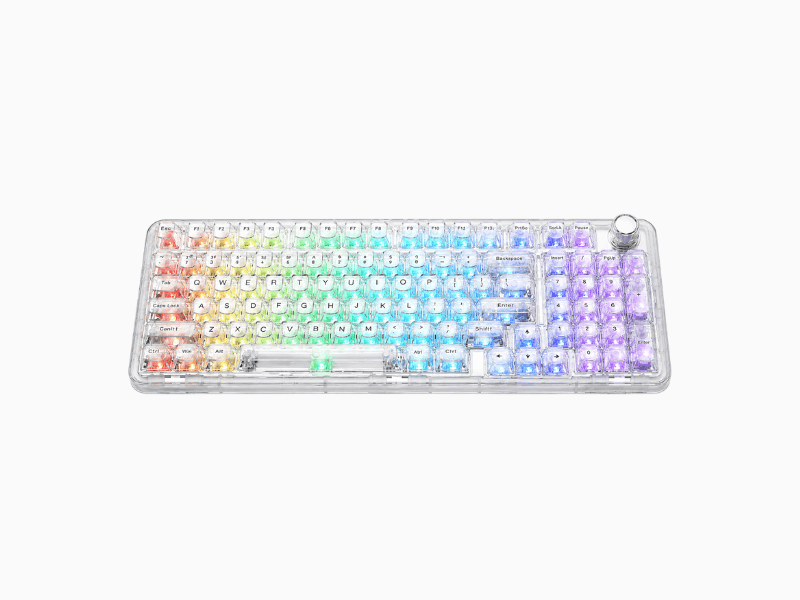
Many cute keyboards use a small 60%, 65% or 75% layout. Those compact designs look clean, but they remove the number pad completely.
The YUNZII X98 uses a compact 96-key layout, also commonly described as a compact full-size or 1800-style layout.
That means you still get:
- A complete number row
- Function keys
- Arrow keys
- Navigation controls
- A dedicated number pad
- A multifunction knob
The keys are arranged more closely than on a conventional full-size keyboard, removing much of the unused space between sections.
This makes the X98 especially useful for:
- Spreadsheets
- Invoicing
- Budgeting
- Bookkeeping
- Price calculations
- Order processing
- Data entry
- Schoolwork
- Everyday office tasks
You get the convenience of number entry without placing an enormous traditional keyboard across the entire desk. For anyone who wants a cute keyboard but regularly works with numbers, this layout is one of the best reasons to choose the X98 over a smaller aesthetic board.
The Number-Pad Zero Takes a Little Time to Learn
There is one number-pad detail every frequent number user should know.
On a traditional full-size keyboard, the zero key is normally twice the width of a standard key. On the YUNZII X98, the zero is a smaller single-width key.
Your thumb will notice the difference.
The owner feedback described making number-entry mistakes at first because her hand automatically expected a wider zero key. After spending time with the keyboard, her muscle memory adapted and the mistakes stopped.
The smaller zero is not a dealbreaker. It is the compact layout’s main learning curve.
Anyone who works with spreadsheets, prices or invoices throughout the day should expect a brief adjustment period. Once the new position becomes familiar, number entry feels natural again.
Three Connection Modes Keep the Desk Clean and Flexible
The YUNZII X98 connects through Bluetooth, 2.4GHz wireless or wired USB-C.
Bluetooth
Bluetooth is the easiest choice for a clean, cable-free workspace. It works well for writing, browsing, studying and ordinary daily use.
2.4GHz wireless
The included 2.4GHz receiver gives you a fast and stable wireless connection for a permanent desktop or gaming setup.
The dongle stores on the bottom of the keyboard when it is not being used, keeping it safe and preventing it from disappearing into a drawer.
Wired USB-C
The included USB-C cable provides a direct wired connection.
Use wired mode while charging, during longer gaming sessions or whenever you prefer not to manage a wireless connection. The keyboard continues working when it is plugged in, so charging does not interrupt your work.
These three connection choices make the X98 easy to fit into almost any desk setup.
Connect Up to Five Devices
The YUNZII X98 supports connections with up to five devices.
This is particularly useful when your desk includes both a work computer and a personal computer. Instead of keeping two keyboards nearby, you can switch devices and continue using the same one.
It works well for a setup that includes:
- A work laptop
- A personal laptop
- A desktop computer
- A compatible tablet
- Another supported device
The X98 is compatible with Windows and Mac, making it practical for mixed-device workspaces.
Multi-device support also reduces clutter. One beautiful keyboard can replace several basic ones.
The 8000mAh Battery Supports Everyday Wireless Use
The keyboard contains a large 8000mAh battery, giving it the capacity needed for regular wireless use.
The exact time between charges depends on how you use the RGB lighting. Bright animated effects consume more energy than a dim static color or turning the lighting off completely.
Battery use also changes with:
- Bluetooth or 2.4GHz mode
- RGB brightness
- Selected lighting effect
- Daily typing time
- Sleep settings
- How frequently you switch devices
The important advantage is that you can connect the USB-C cable and keep using the keyboard whenever it needs power.
There is no need to stop working while it charges.
Reducing the RGB brightness is the easiest way to extend the time between charges while still keeping the transparent keyboard softly illuminated.
The Multifunction Knob Is Actually Useful
The rotary knob in the upper-right corner is not just there to make the keyboard look more expensive.
By default, it controls volume.
Turning the knob lets you quickly adjust music, videos, calls or game audio without opening a menu. It is one of those small features that quickly becomes part of your normal routine.
The knob can also be customized through QMK/VIA for functions such as:
- Scrolling
- Zooming
- RGB adjustments
- Timeline movement
- Custom shortcuts
Most users will keep it as a volume control because that is where it feels most natural.
It is simple, convenient and visually satisfying—the exact kind of detail that makes the X98 feel complete.
Hot-Swappable Without the Keyboard-Expert Confusion
The YUNZII X98 is hot-swappable.
In everyday language, that means you can remove and replace the switches beneath the keycaps without soldering.
The keyboard supports both 3-pin and 5-pin mechanical switches. This gives you the freedom to replace one switch if it stops working or experiment with a different typing feel later.
You could eventually try switches that are:
- Quieter
- Heavier
- Lighter
- More tactile
- More clicky
There is no reason to replace the Snow switches immediately. Their smooth, creamy feeling is already one of the keyboard’s biggest strengths. Hot-swapping simply gives the X98 more long-term flexibility. A keycap and switch puller is included, so you already have the essential tool needed to make changes.
QMK/VIA Customization in Simple Language
The YUNZII X98 supports QMK/VIA customization.
Those names sound technical, but the main benefit is straightforward: You can change what individual keys and the control knob do.
The available controls include:
- Remapping keys
- Creating shortcuts
- Setting macros
- Changing the layout
- Adjusting RGB effects
- Customizing the rotary knob
- Creating different profiles for work and gaming
None of this is required for normal use.
The keyboard works straight out of the box, and the included function card explains the main shortcuts. The deeper customization is there when you want it, not because you need it before you can start typing. That makes the X98 suitable for beginners while still offering more control to anyone who enjoys personalizing a setup.
What Comes With the YUNZII X98 Keyboard?
The package includes the essential accessories needed for everyday use and basic customization:
- YUNZII X98 keyboard
- Dust cover
- USB-C cable
- 2.4GHz wireless dongle
- Keycap and switch puller
- Function card
- User manual
- Extra mechanical switches
- Extra keycaps
The dust cover is especially useful for the clear version because small particles are easier to notice through transparent surfaces. The function card explains what the different key combinations do, so you do not have to search online every time you want to change a setting. The included pulling tool makes it easy to swap decorative keycaps or replace a switch without buying another accessory. Remember that the style and number of decorative keycaps depend on the selected variation.
YUNZII X98 vs a Smaller Cute Keyboard
The X98 is not the smallest aesthetic keyboard available, but its larger layout is exactly what makes it more practical.
| YUNZII X98 | Smaller 75% keyboard |
|---|---|
| Includes a dedicated number pad | Usually removes the number pad |
| Better for spreadsheets and data entry | Better when maximum desk space matters |
| Heavy and secure on the desk | Lighter and easier to carry |
| Includes a multifunction knob | Depends on the selected model |
| Compact full-size functionality | Focuses on minimal size |
| Ideal for work and gaming | Better for users who rarely enter numbers |
Choose the YUNZII X98 when you want a cute keyboard without sacrificing the number pad. Choose a smaller keyboard only when portability and maximum desk space matter more than fast number entry.
What We Love About the YUNZII X98
The typing sound is excellent
The Snow switches produce the smooth, creamy sound that makes mechanical keyboards so satisfying.
It looks genuinely cute
The transparent case, glowing RGB and pink or clear colors make the keyboard a centerpiece rather than a boring office tool.
It still works for serious tasks
The compact layout keeps the number pad, function row, arrow keys and navigation controls.
It feels secure
The heavy body and non-slip base stop the keyboard from shifting while you type.
It works wirelessly and wired
Bluetooth, 2.4GHz and USB-C let you choose the connection that suits your setup.
It feels good immediately
The switches arrive lubricated, and the sound-dampening materials are already installed.
It can be customized later
You can change the lighting, key functions, knob controls, keycaps and switches whenever you are ready.
What to Know Before Buying
The X98 gets the important things right, but three details deserve attention before ordering.
The number-pad zero is smaller
Frequent number-pad users need a short adjustment period before their muscle memory catches up.
The keyboard is heavy
The weight creates excellent stability, but the X98 is not designed to be carried between locations every day.
The decorative keycaps differ between versions
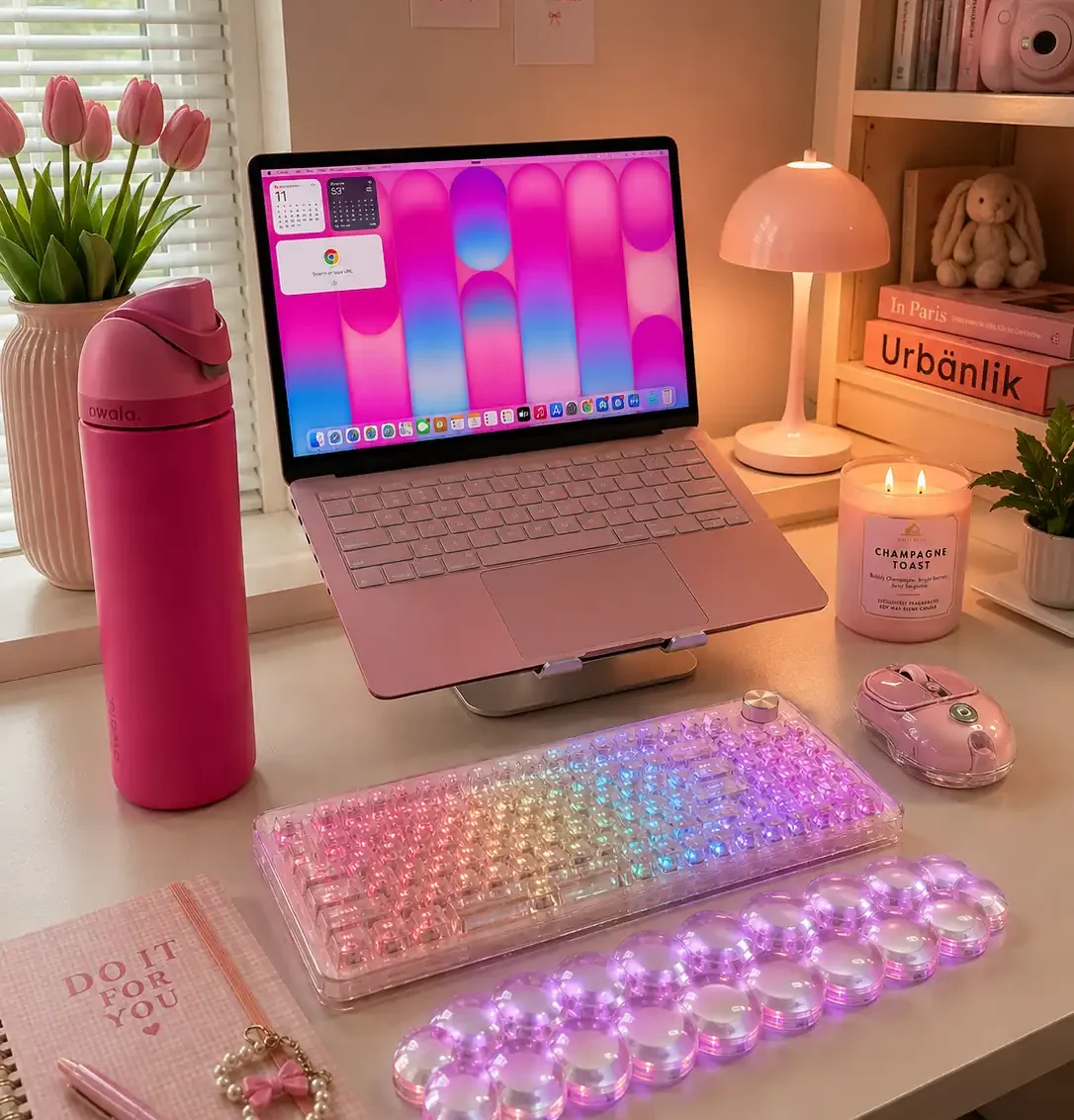
The pink keyboard includes more cute replacement caps than the clear one. Check the exact variation photos before placing your order.
The Snow switches are also satisfying rather than silent. They sound soft and controlled, but other people nearby will still hear you type.
These are manageable compromises, not reasons to avoid the keyboard.
Who Should Buy the YUNZII X98 Keyboard?
The YUNZII X98 keyboard is made for someone who wants their desk to look better without giving up everyday functionality.
It is especially good for:
- Cute and pastel desk setups
- Pink home offices
- Clear or crystal-inspired workspaces
- Writers and frequent typists
- Students
- Content creators
- Small-business owners
- Spreadsheet and number-pad users
- Casual gamers
- Anyone obsessed with satisfying keyboard sounds
It is also the right keyboard for someone who loves the custom mechanical-keyboard experience but does not want to build or modify a board before it feels good.
Someone who never uses a number pad can save more space with a smaller layout. Someone who carries a keyboard every day will prefer something lighter.
For a permanent desk used for work, study, content creation or gaming, the X98 delivers the better combination of appearance and practicality.
Final Verdict: The YUNZII X98 Keyboard Is Worth Buying
The YUNZII X98 keyboard is cute, practical and incredibly satisfying to use.
Its transparent RGB body immediately makes a desk feel more colorful and put together. The pre-lubed Snow switches make every keystroke feel smooth, while the internal cushioning creates the creamy sound that makes this keyboard so enjoyable.
The heavy construction keeps it securely in place, and the compact number pad makes it useful for actual everyday work.
You also get:
- Bluetooth, 2.4GHz and USB-C connectivity
- Support for up to five devices
- An 8000mAh battery
- A useful volume knob
- Hot-swappable switches
- Customizable RGB lighting
- Windows and Mac compatibility
- All the essential accessories in the box
The smaller number-pad zero takes a little practice, and the pink version delivers the stronger decorative-keycap experience. Those are small compromises compared with everything the X98 gets right.
This is exactly what a cute mechanical keyboard should be: beautiful enough to transform your desk, satisfying enough to make typing more fun and practical enough to use every single day.
[…] listening, organizing, and making a desk feel more personal. For a separate keyboard idea, our YUNZII X98 keyboard guide covers another part of a desk […]